
Jul 17, 2026
How to Accept Card Payments Without a POS Machine in Nigeria
Here's a scene you know too well. A customer is standing right in front of you, money ready, eyes on the thing they want to buy. Then your card machine is down, or you never had one, and the only option is a bank transfer. The network drags. The app freezes. And just like that, they say the five words that haunt every business owner: "Don't worry, I'll come back."
Spoiler: they don't come back.
We've seen this play out more times than I can count, and the painful part is that it has nothing to do with your product or your price. You lost that sale at the very last step, the moment someone tried to pay you. Here's the good news: you do not need an expensive POS machine to fix it. In this guide, I'll show you exactly how to accept card payments in Nigeria using nothing but the phone in your pocket. Let's get into it!
Can You Really Accept Card Payments Without a POS Machine?
Yes, 100%. You can take card payments in Nigeria without ever buying a POS terminal. The technology that makes this possible is called a soft POS (sometimes called a virtual POS), and it turns your everyday smartphone into a POS machine. No wires. No bulky device. No waiting weeks for a terminal to arrive. If you have a smartphone, you're basically holding a POS already.
So, What Exactly Is a Soft POS?
A soft POS is simply a software, usually an app, that lets your phone accept card payments. Instead of buying separate hardware, you download an app, set up your account, and start collecting card payments straight away. Think of it as a POS machine that lives inside your phone.
How It Works (Tap, and You're Paid)
It runs on NFC (Near Field Communication), the same tap technology behind contactless payments. The flow is dead simple:
- You enter the amount in the app.
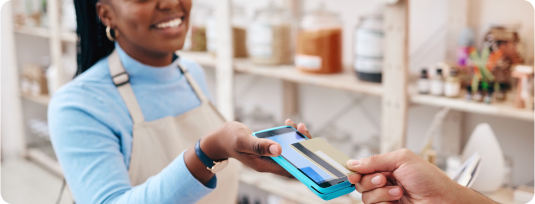
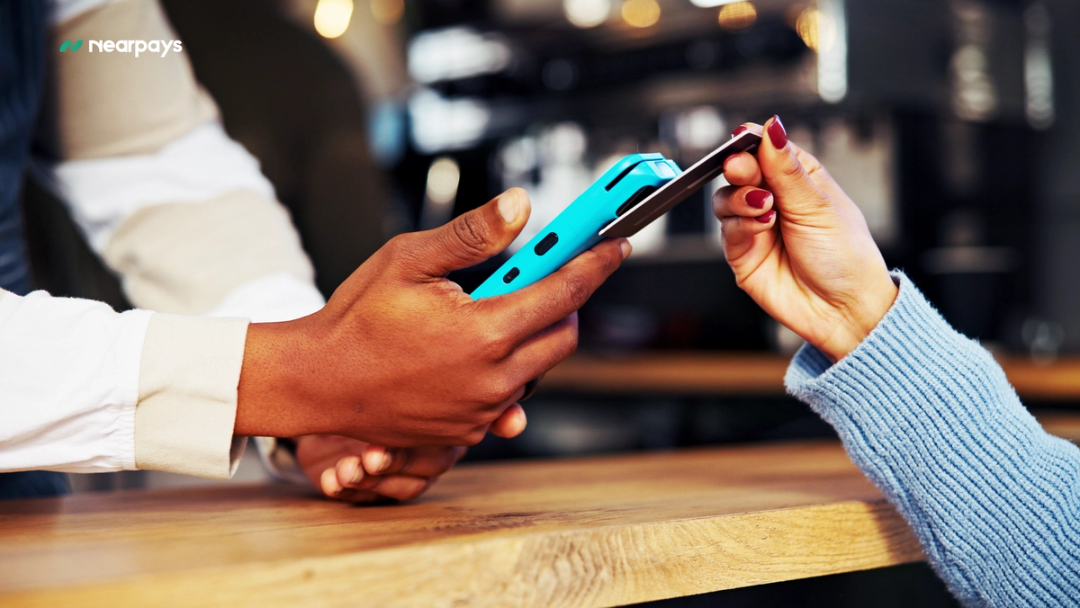
- Your customer taps their card on the back of your phone.
- Payment confirmed in seconds.
That's it. No PIN pad to carry around, no receipt printer, no stress.
What if your phone doesn't have NFC?
Here's the good news: you're not left out. Not every smartphone comes with NFC built in, but that doesn't mean you can't accept card payments. We have a way for phones without NFC to still receive card payments, so no business gets shut out simply because of the device in their hand.
Interested in this option? Click here to let us know and we'll get you sorted.
Soft POS vs the Traditional POS Machine
Here's how the two stack up:
- Cost: A traditional POS costs money to buy or rent, plus maintenance. A soft POS uses the phone you already own.
- Setup: A terminal means applications and delivery waits. A soft POS is download-and-go.
- Portability: A POS machine is one more thing to carry. Your phone is already in your pocket.
- Best for: Small shops, mobile sellers, and growing businesses that want to start fast and spend less.
Why Smart Nigerian Businesses Are Leaving POS Machines Behind
Zero Hardware, Zero Upfront Cost
Let's talk money. A traditional terminal costs to buy or rent, and then it nags you with maintenance when it misbehaves. A soft POS? Your phone is the terminal. There's nothing extra to buy.
Get Paid Anywhere You Go
Run a delivery service? Sell at markets and pop-up events? Do house calls? Your checkout goes wherever your phone goes. Picture closing a sale right at your customer's doorstep; card tapped, money in, done.
Stop Losing Sales at Checkout
Every payment method you can't accept is a customer you can't serve. When you can take cards on the spot, that "I'll come back" moment finally turns into "thank you, come again."
Ways to Accept Card Payments Without a POS Machine
You actually have more than one option. Here are the best ways to accept card payments without a POS machine:
1. Tap-to-Pay on Your Phone (Soft POS)
This is the star of the show. With an app like Nearpays, you turn on NFC, enter the amount, and your customer taps their card at the back of your phone. Perfect for in-person sales, shops, salons, deliveries, you name it.
2. Payment Links
Send a secure payment link by WhatsApp, SMS, or email. Your customer clicks, enters their card details, and pays. Great for remote sales or customers who aren't standing in front of you.
3. QR Code Payments
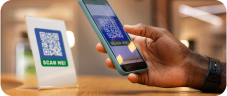
Display a QR code at your counter or even on your delivery bike. Customers scan it with their phone and pay in seconds. Quick, contactless, and ideal for busy spots with queues.
4. Online Checkout
Selling on Instagram, WhatsApp, or your own website? An online checkout page lets you accept card payments over the internet; no physical device is required at all.
What You Need to Get Started
Good news: the list is short.
- A smartphone — most modern Android phones come with NFC (check your Settings to confirm). No NFC? We've still got you covered.
- A payment app like Nearpays.
- A verified account — a quick sign-up with your basic details.
How to Set Up Card Payments on Your Phone (Step by Step)
Here's how to go from zero to accepting cards, using Nearpays as the example:
- Download the app. Get Nearpays free on Google Play or the App Store.
- Create and verify your account. Enter your details; it only takes a few minutes.
- Turn on Virtual POS and NFC. Flip the switch in the app and on your phone.
- Enter the amount and tap. Your customer taps their card at the back of your phone, and the payment goes through.
- Confirm and track. Get an instant alert and see every payment in your dashboard.
How Much Does It Cost?
Here's the beautiful part: you skip the biggest cost of all, the hardware. There's no terminal to buy or rent. You'll typically pay a small fee per transaction, which is completely normal across every payment platform. Compare that to the price of a physical POS plus maintenance, and a soft POS usually wins hands down for small and growing businesses.
Is It Safe to Take Card Payments on Your Phone?
I get it; this is your money and your customers' trust on the line. So security matters. Here's what keeps you covered:
- PCI DSS certified: Nearpays meets the same strict security standards banks use to handle card data.
- Strong encryption: every transaction is protected from start to finish.
- Instant alerts: you and your staff get notified the moment a payment lands, so nothing slips through.
Taking cards on your phone isn't a shortcut around security. Done right, it's just as safe as a traditional terminal.
How to Choose the Right Soft POS App in Nigeria
Not all apps are equal. Before you pick one, ask:
- What are the transaction fees?
- Does it support all major cards?
- Can it track payments across multiple branches?
- Is it PCI DSS certified?
- Does it offer extras, like savings, bill payments, or a dollar card?
An app like Nearpays ticks these boxes and bundles card payments, real-time business tracking, savings, and a virtual dollar card into one place, so you're not juggling five apps to run one business.
A Few Mistakes to Avoid
- Focusing on price alone. The lowest fee isn't worth it if payments fail or support is poor.
- Skipping reconciliation. Use your dashboard to match payments every day.
- Ignoring security. Always confirm the app is PCI DSS certified before you trust it with cards.
- Half-finishing your account setup. Verify everything properly upfront so nothing slows you down later.
Frequently Asked Questions
Which phones can accept tap-to-pay?
Most modern Android phones have NFC. Check your phone's settings for an NFC option, if it's there, you're good to go. And if your phone doesn't have NFC, you can still accept card payments with Nearpays. Let us know here.
How fast do I get my money?
Payments confirm in seconds, and the funds reflect in your account quickly.
Can I accept payments for multiple branches?
Yes. With Nearpays, you can monitor several branches and POS points in real time from one dashboard.
Do I need to be tech-savvy?
Not at all. If you can use WhatsApp, you can use a soft POS.
Ready to Get Paid the Easy Way?
Let's bring it home. You don't need to spend big on hardware to give your customers a smooth way to pay. With a soft POS, the phone in your hand becomes your card machine, ready to serve every customer, close more sales, and grow your business.
So the next time someone reaches for their card, you'll be ready. No more "I'll come back." Just "payment successful."
Ready to turn your phone into a POS? Download Nearpays today and start accepting card payments anywhere in Nigeria.
Related Articles